BEST WEBSITE CONTACT OPTION FOR SERVICE BUSINESSES

A practical guide to choosing the contact path that gets more real enquiries

For most service businesses, the best website contact option is one fast primary action, usually a lightweight widget or messenger button, plus one backup path such as a form, phone number, or booking page. That setup is easier to notice, easier to maintain, and better aligned with how people ask for quotes, availability, and quick answers.

This guide is for home services, agencies, clinics, salons, repair companies, consultants, and other service businesses that need cleaner website contact without turning every page into a crowded contact stack.
Service business website choosing the best contact option for new enquiries
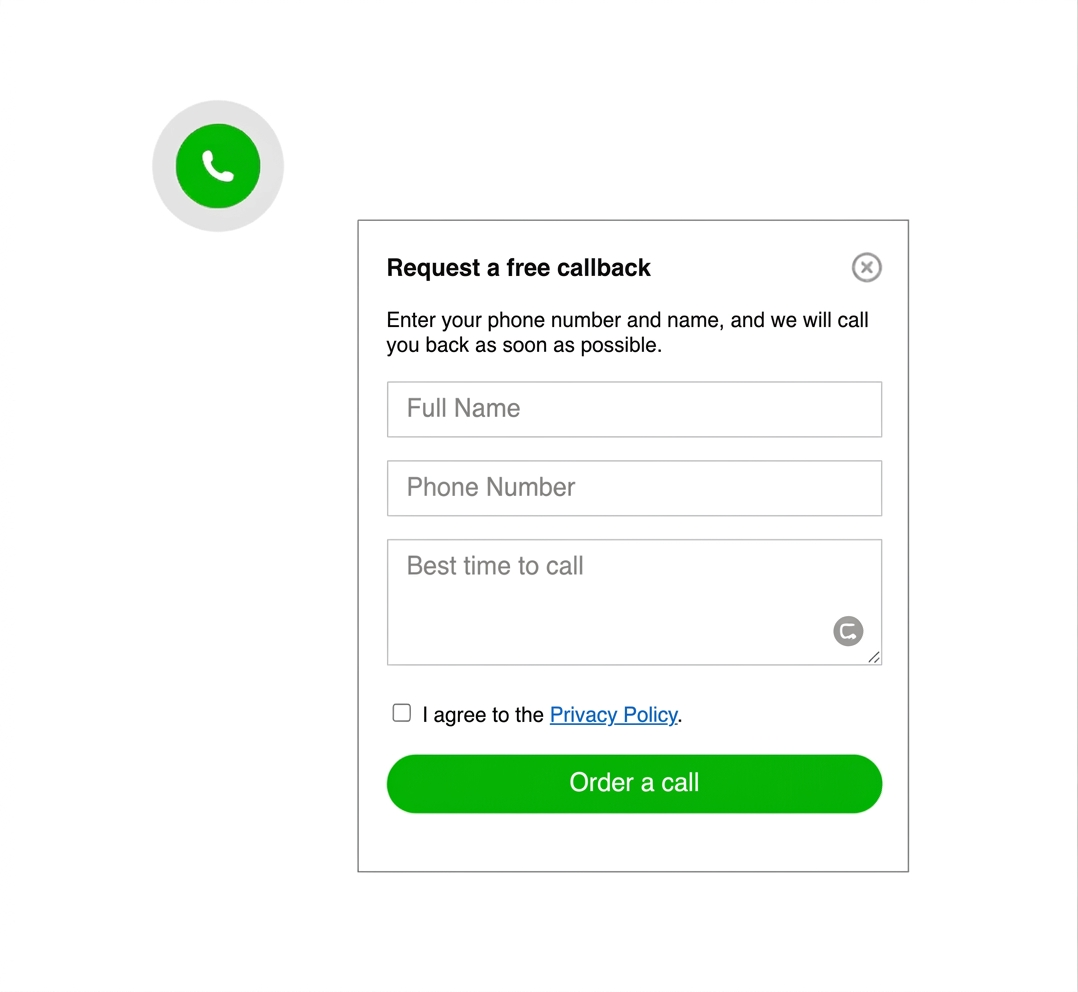
Service business contact widget shown as a fast first contact option

WHY THIS CHOICE MATTERS

because service businesses usually lose leads when the first step feels slow or unclear

Most service pages are visited by people who want one of four things: a quick answer, a quote, a booking, or a callback. The best contact option makes that next step obvious without forcing the visitor to scan the whole page for phone numbers, long forms, or multiple competing buttons.

If you want a narrower follow-up after this decision guide, compare the local business contact widget guide, contact form vs WhatsApp button, and more examples in the YourChat blog.

NO-CODE SETUP
You can improve service-business contact without rebuilding the site
Code snippet for adding a website contact option without a full rebuild
the fastest improvement is usually one visible primary action

You do not need to launch phone, live chat, form, booking, and three messenger links at once. Most service businesses get better results when they promote one main contact route on service pages and keep the rest as backup options.

Compact website contact options for a service business
STEP BY STEP

How to choose the best website contact option step by step

  1. List the most common first-contact requests: quote, booking, pricing question, or urgent callout.
  2. Pick one primary action that matches the majority of those requests.
  3. Choose a lightweight contact option that stays visible on service and pricing pages.
  4. Keep one backup path for longer or more structured requests.
  5. Test placement on mobile before adding more channels.
  6. Add extra contact options only when a real use case demands them.
Speed icon for choosing a service business contact option

Fast first action

The best website contact option is the one a visitor can use in seconds, not after reading a long contact page.
Intent icon for service business website enquiries

Intent match

Quote-driven, appointment-driven, and urgent-call businesses do not always need the same primary contact path.
Mobile-first icon for service business contact flow

Mobile-first behavior

Many service-business visitors arrive from phones, so the contact option has to stay obvious without blocking the page.
Maintenance icon for website contact tools

Easy to maintain

The winning setup should still feel manageable when pages, hours, and service offers change.

Platform guidance for service-business contact setup

The best website contact option still depends on how your site is maintained. The deployment details vary, but the rule stays the same: make one primary action easy to see and easy to use.

WordPress: test a script-based widget before adding another plugin if the goal is simply faster contact.

Shopify: service-like storefronts should check overlap with cart drawers, sticky checkout bars, and mobile footers.

Wix: keep the primary contact option visible without covering booking or quote elements.

Webflow, Joomla, and HTML sites: a direct snippet is often the cleanest way to add a lighter contact path across all service pages.

Platform checklist
  • WordPress: verify script placement before adding another plugin
  • Shopify: check mobile overlap with cart and sticky purchase elements
  • Wix: keep the contact action visible near service and booking sections
  • Webflow: review interaction layers and sticky page elements after publish
  • Joomla and HTML: test the same contact behavior across templates and landing pages
  • All platforms: keep one primary action and one backup path
Related guides

If you need implementation examples after this page, compare the messenger buttons guide, the floating chat widget guide, and more articles in the English blog.

BEST-FIT CONTACT OPTION

For most service pages, a compact widget beats a long contact hunt

A visible widget or messenger launcher usually wins because it stays present across service pages, reduces friction, and supports fast first-touch questions. It does not replace every other contact path, but it often deserves to be the first one visitors see.

If your business relies heavily on instant messaging, continue with How to add a WhatsApp button to a website or compare the small business contact widget guide.

Phone screen showing a simple service business contact widget

PLACEMENT AND UX GUIDANCE

Make the first contact step obvious, not overwhelming
Bottom right is still a strong default for a floating contact option, but only if it stays clear of sticky quote bars, consent prompts, booking forms, and tap-heavy mobile layouts. The point is not to add another decoration. The point is to help a ready visitor act now.

1

PRIMARY CONTACT ACTION

3

HIGH-INTENT PAGE TYPES TO START WITH

5

MINUTES OF REAL MOBILE TESTING
Placement example for a service business contact widget
Show one clear next step before asking the visitor to compare every possible channel

three realistic contact options for service businesses

WHICH OPTION MATCHES THE WAY YOUR LEADS ACT

Option 1

PHONE

best for urgent calls

Use phone first when the service is time-sensitive, dispatch-based, or usually closes on a short call.
fast for emergencies, weaker for after-hours and silent browsing

Option 3

FORM

best for detailed requests

strong backup
A form or booking page works well when visitors need to explain a project, share requirements, upload details, or choose a time slot.

widget vs phone call vs contact form

If the goal is more first conversations from service pages, a widget is usually the strongest default. It is easier to notice than a plain phone number and faster to start than a long form.
Phone wins when urgency is high. A form or booking page wins when the request needs structure. The best website contact option for a service business is usually not a single universal tool. It is the clearest primary path plus the right fallback.
OBJECTION HANDLING

You do not need every contact method to be primary

Many service businesses worry that choosing one main contact option will hide phone, form, or booking. It does not have to. The cleaner approach is to promote one main action while leaving the others available for visitors who need them.
That usually feels more professional than showing a crowded strip of icons, duplicated phone numbers, and multiple competing CTAs on every page.

Service business website showing one primary contact option with backup routes
Common service business website contact mistakes
COMMON MISTAKES TO AVOID

Do not turn the contact area into a channel maze

keep the path simple

  • Do not place phone, form, booking, WhatsApp, Telegram, and live chat as equal first choices on every page.
  • Do not hide the best contact option below long blocks of service copy.
  • Do not let the widget cover sticky bars, forms, calendars, or consent prompts.
  • Do not choose a contact path your team cannot answer reliably.
QUICK CHECKLIST

Before you finalize the contact setup, confirm that the primary path is clear and realistic.

  • One primary contact action chosen for the main service intent
  • One backup path for longer or structured requests
  • Mobile placement tested on real service pages
  • Contact copy aligned with actual response times
  • No overlapping widgets or duplicated contact CTAs

Frequently asked questions about website contact options for service businesses

What is the best website contact option for a service business?

For most service business websites, the best contact option is one fast primary action, usually a lightweight widget or messenger button, backed by a form, booking page, or phone number for more detailed requests.

Can I set up the contact option without coding?

Yes. On most platforms, a hosted widget or script-based contact option can be added with one snippet in the site header, footer, app embed, or custom code area.

Should the contact option work differently on mobile and desktop?

The main contact path should stay consistent, but the placement should be tested on both screen sizes so the button stays visible without blocking forms, sticky bars, or booking tools.

Should I use a plugin, a script, or a platform app?

Use the lightest setup your platform supports well. A script or hosted widget is often enough for service business websites, while a plugin or platform app makes sense only when it improves deployment without adding unnecessary bloat.

Is a widget better than a phone number or contact form?

Often yes for first contact. A widget is easier to notice and faster to start from service pages, while phone and form still work well as backup options for urgent or detailed requests.

When should a service business keep phone or booking as the main option?

Keep phone first when requests are urgent or dispatch-based, and keep booking first when the goal is scheduling appointments fast. Many service businesses still add a visible widget as the easier secondary path.

Need more examples after this page? Browse the English blog guides, review the local business widget guide, or compare the messenger buttons guide.

start with the contact option that matches how service leads actually ask for help

If your site supports a code snippet, custom HTML area, or app embed, you can usually launch a cleaner service-business contact path quickly. A simple visible widget often gives the strongest first result while phone, booking, and forms stay available as backup.