BEST CONTACT WIDGET FOR A LOCAL BUSINESS WEBSITE

A practical guide for turning local visits into faster conversations

The best contact widget for a local business website is usually a lightweight floating widget that makes one clear action easy on mobile, keeps local trust signals visible, and helps visitors message you without digging for the contact page.

This guide is for local service companies, clinics, studios, restaurants, contractors, agencies, and shop owners who want a better first-contact path from location pages, service pages, and mobile visitors ready to ask, book, or buy.
Preview of a local business website with a floating contact widget
Contact widget preview for a local business website

WHY THIS CHOICE MATTERS

a local business usually wins with faster mobile contact, not more contact complexity

Local visitors often arrive with high intent. They want to ask about availability, timing, price, location, or the fastest next step. The wrong widget competes with your phone number, opening hours, map, or booking CTA. The right one supports those trust signals and gives the visitor one quick path to reach you.

If your main goal is channel choice rather than a single route, compare this page with How to add messenger buttons to a website.

NO-CODE SETUP
You can add a good contact widget without rebuilding your website
Code snippet for adding a website contact widget
one script is usually enough for a clean local-business launch

For most local business websites, a hosted script-based widget is the cleanest setup. You add one snippet, keep the widget consistent across service and location pages, and avoid rebuilding page templates every time you want to adjust the contact flow.

Contact and messenger options inside one website widget
STEP BY STEP

How to choose and launch the right widget for local leads

  1. Choose the main action that fits local intent best: message, call request, or booking-first contact.
  2. Keep the widget focused on one clear next step instead of stacking every possible channel.
  3. Install it on pages where local intent is strongest, especially service, area, menu, or booking pages.
  4. Check that the widget does not cover your phone number, hours, map, or sticky mobile controls.
  5. Test the full path on a real phone, from click to sent message.
  6. Keep a backup route such as a form or phone number for longer or urgent enquiries.
Fast launch icon for a contact widget

Fast to launch

A local business usually needs a contact path that works now, not after a long redesign cycle.
Placement icon for a website contact widget

Easy to place

The best widget stays visible without covering key local trust elements or booking actions.
Mobile-friendly icon for a local business contact widget

Mobile-friendly

The click path must stay obvious on small screens where many local searches and map-driven visits begin.
Platform compatibility icon for a website contact widget

Platform-safe

If the widget can be added as a simple snippet, it usually works well across the common CMS and builder stack.

Platform guidance for common local business websites

The best contact widget is not only about design. It also has to fit how your site is maintained, especially if you have location pages, booking elements, or mobile traffic coming from local search.

WordPress: use a script or snippet field if you want fewer plugin conflicts and easier rollout across service and area pages.

Shopify and Wix: prefer the cleanest supported custom code or embed route, then test the widget around mobile sticky bars, store badges, and booking sections.

Webflow and HTML sites: direct script placement is often the simplest workflow because you keep control over layout, page speed, and local landing pages.

Joomla: add the widget outside the content editor flow so it behaves consistently across templates and contact-heavy pages.

Platform checklist
  • WordPress: prefer a lightweight snippet route over plugin bloat
  • Shopify: confirm the widget does not clash with floating cart UI
  • Wix: keep the widget visible without blocking booking or call buttons
  • Webflow and HTML: place the script once and review area or service pages live
  • Joomla: test template output after publishing
  • All platforms: verify behavior on a real phone near maps and sticky controls
Related guides

If you want a narrower setup article after this guide, continue with How to add a WhatsApp button to your website or browse more examples in the YourChat blog.

WHAT THE BEST LOCAL CONTACT WIDGET SHOULD DO

Help the visitor act quickly without losing trust

A local business contact widget should reduce hesitation and support the rest of the page. It should sit next to your hours, phone number, service promise, and location cues, not compete with them.

If your audience strongly prefers one channel, also review the WhatsApp button setup guide to compare a single-channel path against a broader local-business contact widget.

Local business contact widget example on a phone screen

PLACEMENT AND UX GUIDANCE

Where the widget should live on a local business page
Bottom right is still a strong default for many local business sites, but only if the widget remains easy to tap, stays clear of maps, booking tools, and sticky call buttons, and does not hide the information visitors use to trust your business.

1

PRIMARY LOCAL ACTION

3

CORE PAGES TO START WITH

5

MINUTES TO REVIEW ON MOBILE
Floating contact widget layout with clear button placement
Keep the path from local intent to contact short and obvious

three common contact approaches for local business websites

WHICH ONE FITS YOUR LOCAL CONTACT FLOW

Option 1

FORM

for detailed enquiries

A contact form works best when visitors need to explain a case in detail, upload specifics, or ask for a quote that cannot be handled in one short message.
good fallback, weaker for fast local action

Option 3

LIVE

for bigger workflows

heavier setup
Full live chat software makes sense when you need dedicated support handling, team routing, or an always-on service workflow. Many local businesses do not need that complexity for first-contact capture.

contact widget vs phone-only contact vs live chat

If your main goal is more local first conversations, a contact widget is often the best middle ground. It is easier to notice than a buried phone link and lighter than full live chat software, especially for visitors who want to ask one quick question before they call, book, or visit.
A visible phone number still matters for urgent calls. A form still matters for longer requests. Live chat still matters when you operate a real support workflow. For many local businesses, the strongest setup is a simple widget plus phone and form backup.
OBJECTION HANDLING

You do not need to choose the widget instead of phone, map, or form

A contact widget should make first contact easier, not replace the local trust signals people already expect. Keep your phone number, contact page, booking path, and service-area details visible if they support the decision.
For many local business websites, the widget becomes the fastest message-first path while the phone number stays available for urgent calls and the form handles longer requests.

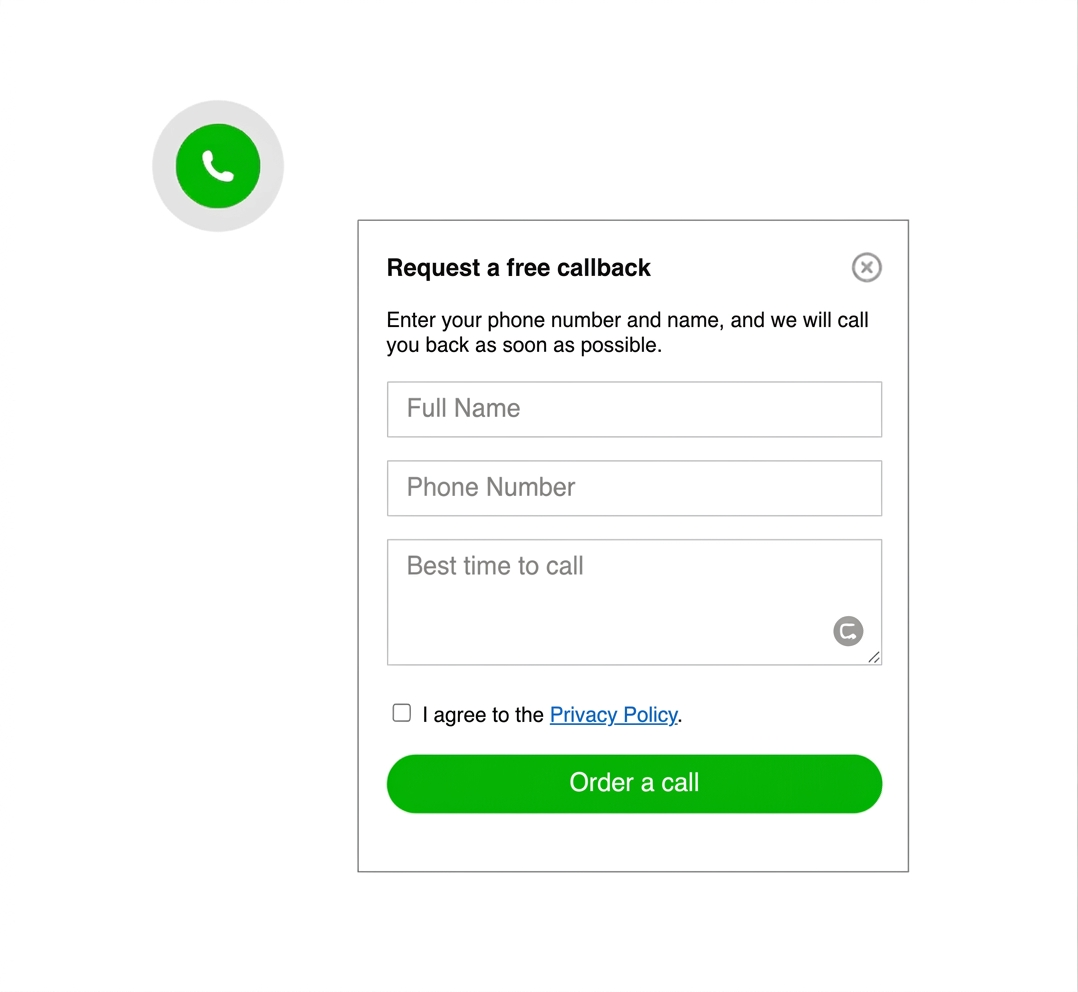
Contact form shown next to a local business website widget as a fallback option
Alternative website contact routes shown next to a widget
COMMON MISTAKES TO AVOID

Do not let the widget hide your local trust signals

keep it helpful, not disruptive

  • Do not show too many contact choices in one tiny bubble.
  • Do not place it over maps, booking forms, sticky call buttons, or cookie banners.
  • Do not hide opening hours or service-area details behind the widget.
  • Do not skip mobile testing after publishing.
  • Do not choose a tool built for a support team if you only need faster local enquiries.
QUICK CHECKLIST

Before you publish, confirm the widget matches your local contact flow and not just a generic design preference.

  • One primary local contact action
  • Visible on homepage, service, and contact pages
  • Usable on mobile without hiding map, hours, or phone
  • Platform setup you can maintain easily
  • Phone, form, or booking path kept as a backup

Frequently asked questions about contact widgets for local business websites

What is the best contact widget for a local business website?

For most local business websites, the best contact widget is a lightweight floating widget that makes one clear action easy on mobile, stays visible without covering trust elements, and helps visitors contact you quickly from high-intent pages.

Can I add a contact widget without coding?

Yes. On most websites, you can add a contact widget by placing one script or snippet in the site footer, header injection field, or custom code area.

Should the widget behave differently on mobile and desktop?

The contact path should stay consistent, but the position must be checked on both screen sizes so the widget does not cover maps, sticky bars, booking controls, or cookie notices.

Which is better for a local business site: a script, plugin, or built-in app?

A script is usually the cleanest option when your platform allows it because it gives more placement control with less overhead. Plugins or built-in apps can work well if they stay lightweight and do not interfere with page speed or layout.

Is a contact widget better than showing only a phone number or form?

For fast local enquiries, a widget is often stronger than relying only on a phone number or form because it stays visible and reduces hesitation. Many local businesses still keep the phone number and form as backup options.

Do local businesses need full live chat software to capture leads?

Usually not. A simpler contact widget is often enough when your goal is to help visitors ask one quick question, check availability, or start a booking conversation without adding a full support stack.

Need more setup examples after this page? Browse the English blog guides or compare with the messenger buttons guide.

a clean contact widget can work on almost any local business website

If your platform allows a code snippet, custom HTML block, or footer injection, you can usually launch a contact widget without changing the entire page structure. That keeps the setup practical for local teams that need faster contact, stronger mobile response, and a cleaner path from search visit to enquiry.