
BEST CONTACT WIDGET FOR A SMALL BUSINESS WEBSITE
A practical selection guide for faster website contact
The best contact widget for a small business website is usually a lightweight floating widget that gives visitors one clear action, works on mobile, and does not force you into a heavy live chat stack.
This page is for owners, local service companies, freelancers, agencies, and lean teams that want a cleaner contact path, faster replies, and a widget that is easy to add without rebuilding the whole site.


WHY THIS CHOICE MATTERS
a small business usually needs a faster first conversation, not a larger support stack
The wrong contact widget creates friction. It hides key buttons, pushes visitors into too many options, or adds plugin overhead you do not need. The right widget keeps one clear contact path visible and easy to use from the pages where visitors are already ready to ask, book, or buy.
If your main goal is channel choice rather than a single route, compare this page with How to add messenger buttons to a website.
NO-CODE SETUP
You can add a good contact widget without rebuilding your website

one script is usually enough for a clean launch
For most small business websites, the cleanest route is a hosted script-based widget. You place one snippet, control the widget separately from the page layout, and avoid turning every future contact change into a site rebuild.

How to choose and launch the right contact widget
- Pick one primary contact action your visitors will understand immediately.
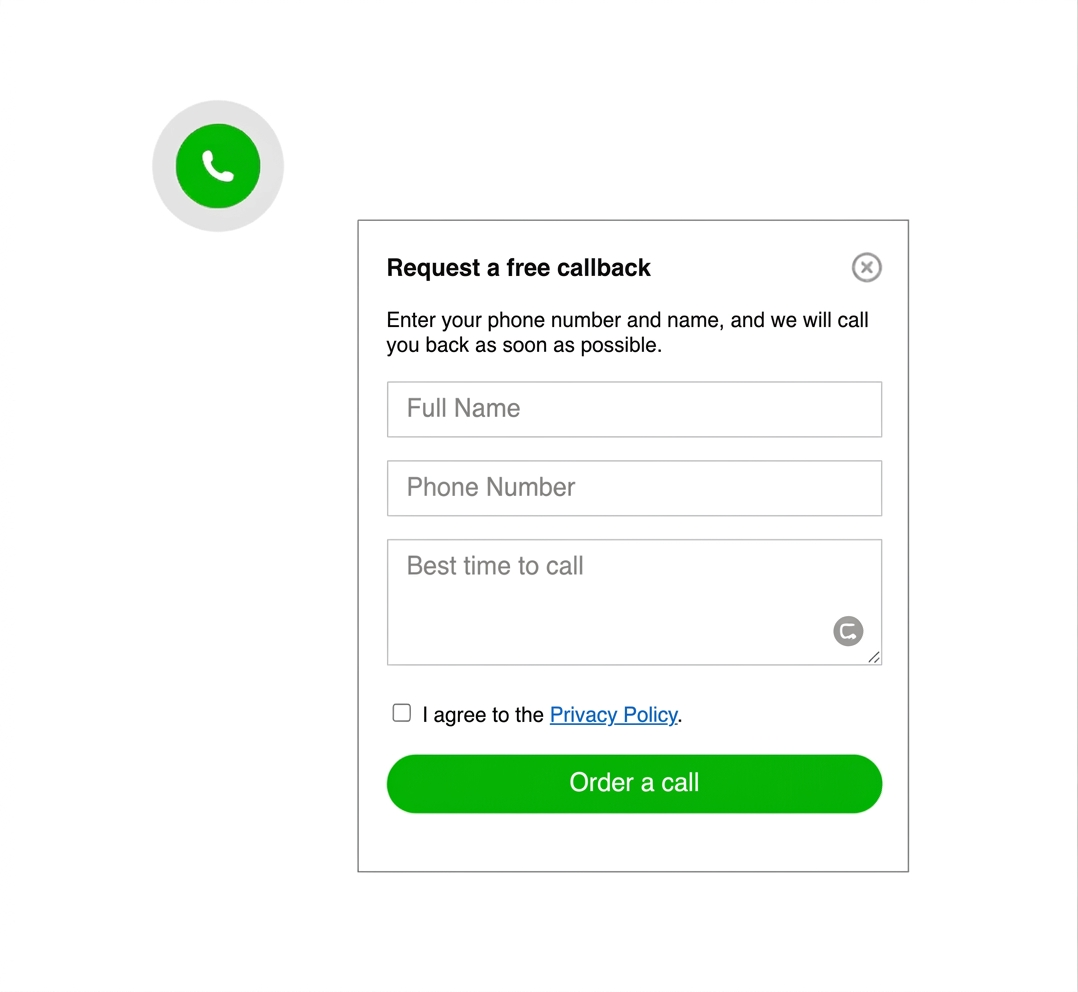
- Choose a widget type that fits your real workflow: quick message, callback, or mixed contact entry.
- Place the script on the pages where buying intent is highest.
- Test the final position on desktop and on a real phone.
- Keep a fallback path such as a contact form for longer requests.

Fast to launch
A small business usually needs a contact path this week, not after a long custom project.

Easy to place
The best widget stays visible without covering forms, CTA buttons, or legal notices.

Mobile-friendly
The click path must stay obvious on small screens where most local and service searches begin.

Platform-safe
If the widget can be added as a simple snippet, it usually works well across the common CMS and builder stack.
WHAT THE BEST CONTACT WIDGET SHOULD DO
Give the visitor one obvious next step
A small business contact widget should reduce hesitation. It should not look like a support dashboard, force too many choices, or compete with the rest of the page.
If your audience strongly prefers WhatsApp, also review the WhatsApp button setup guide to compare a single-channel path against a broader contact widget.

PLACEMENT AND UX GUIDANCE
Where the widget should live on the page
Bottom right is still the strongest default for many small business sites, but only if the widget remains easy to tap, does not block forms, and stays clear of sticky bars and consent prompts.
1
3
5

Keep the contact path short and obvious
OBJECTION HANDLING
You do not need to remove every other contact option
A contact widget should make first contact easier, not replace every other route. Keep a form, phone number, or booking path if those still matter to your sales process.
For many small business websites, the widget becomes the fastest path while the form stays available for complex requests and after-hours leads.

COMMON MISTAKES TO AVOID
Do not let the widget fight the page
keep it useful, not intrusive
- Do not show too many contact choices in one tiny bubble.
- Do not place it over booking forms, sticky buy buttons, or cookie banners.
- Do not skip mobile testing after publishing.
- Do not choose a tool built for a support team if you only need faster first leads.