
Telegram Button vs Contact Form for Website Visitors
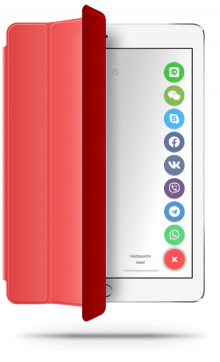
If you want a faster first contact path, a Telegram button usually beats a contact form for speed, lower friction, and mobile convenience. A contact form is still better when you need structured details before replying. Most business websites should keep both, but they should not carry the same job on the same page.
This guide is for website owners, marketers, freelancers, and agencies deciding whether website visitors should message first or submit details first. You will see which option fits each page type, how to set both up without coding, and where a Telegram button should stay visible without competing with the form.

Quick answer
- Use a Telegram button for fast questions, mobile visitors, and low-friction lead entry.
- Use a contact form for quotes, project details, attachments, and longer qualification.
- Keep both when your site attracts mixed-intent visitors.
- Do not let the Telegram button block the form, sticky CTA, or checkout controls.
Why this matters
Can you use a Telegram button and a contact form without coding?
How to set up both without creating friction
- Decide which pages need immediate Telegram conversation and which need structured lead capture.
- Keep the contact form on contact, quote, booking, or high-detail pages.
- Add one persistent Telegram button for fast questions on service, pricing, and product pages.
- Write different CTA labels so visitors understand which path is faster and which is more detailed.
- Test mobile spacing so the Telegram button never blocks the form submit area or sticky controls.
- Review lead quality and response speed, not only raw click volume.
Who should keep both
- Service businesses that get both quick Telegram questions and detailed quote requests.
- Agencies that want faster first contact but still need qualification detail.
- Local businesses where mobile visitors prefer messaging before calling or filling a form.
- Sites that need a fallback for visitors who do not want to open Telegram right away.
If you are leaning toward a persistent message-first pattern, compare this page with Floating Chat Widget for Website. If your team is choosing between Telegram and a broader contact layer, review How to Add a Telegram Button to Website and Contact Form vs WhatsApp Button.
Platform-specific guidance
- WordPress: test overlap with sticky mobile menus and form sections.
- Shopify and Wix: check product, cart-adjacent, and contact pages separately.
- Webflow and Joomla: keep the Telegram button global and forms page-specific.
- HTML sites: avoid adding multiple button snippets by hand across templates.
Placement and UX guidance
1
Put the Telegram button near fast intent
Service, pricing, and product pages usually benefit from the visible Telegram entry because visitors often have one last question before acting.
2
Reserve the form for depth
Use the form where you need project scope, budget, timing, attachments, or a more structured first message.
3
Protect the mobile layout
The Telegram button should never cover the form submit button, sticky footer bars, consent banners, or purchase controls.
Telegram button vs contact form at a glance
| Decision point | Telegram button | Contact form |
|---|---|---|
| Best for | Fast questions, mobile visitors, and low-friction first contact. | Detailed enquiries, quotes, bookings, and structured qualification. |
| Lead volume | Usually higher because the entry is easier and faster. | Usually lower but more pre-qualified. |
| User effort | Lower effort because the visitor can start with one short message in Telegram. | Higher effort because the visitor must complete fields before sending. |
| Placement | Works well as a persistent floating or fixed contact entry on high-intent pages. | Works best on contact, quote, application, or project-detail pages. |
| When to prefer it | When speed, reachability, and first response matter most. | When detail, context, and consistent intake matter more than immediacy. |
Should one contact path lead and the other support?
Common mistakes
Using the same CTA language everywhere
If both contact options promise the same thing in the same position, visitors hesitate instead of choosing the right path.
Letting the Telegram button cover important actions
A button that blocks the form submit area, cart controls, or sticky footer actions hurts the exact conversion flow it was meant to improve.
Sending everyone to a form first
If your visitors mostly need a quick answer, forcing full-field completion first can reduce starts that would have become real conversations in Telegram.
Removing the fallback too early
Some visitors still prefer forms for privacy, detail, or timing. Do not force everyone into Telegram if the buying process needs structure.
- Use the Telegram button on fast-intent pages and the form on detail-heavy pages.
- Write distinct CTA copy so visitors know which path is faster.
- Test mobile overlap with sticky bars, cookie notices, and submit buttons.
- Measure lead quality and response speed, not only raw clicks or submissions.
- Keep a fallback path for visitors who are not ready to message in Telegram.
Frequently asked questions about Telegram button vs contact form
Telegram button vs contact form: which is better for website visitors?
A Telegram button is usually better for quick first contact and mobile convenience, while a contact form is better when you need structured detail before the first reply.
Can I add a Telegram button and contact form without coding?
Yes. Most websites can keep the form inside the normal CMS or page builder and add a Telegram button through one hosted script or widget.
Will a Telegram button and contact form work on mobile and desktop?
Yes, if you test both layouts. The Telegram button should stay visible without covering sticky navigation, checkout bars, or the form submit area.
Should I use a plugin, script, or platform app for the Telegram button?
Use the lightest option your platform supports. A script-based setup is often easier to control, while the form can remain in the native tool you already use.
Is a contact form still useful if I add a Telegram button?
Usually yes. The form still helps when you need budget, project scope, scheduling context, attachments, or a more private fallback path.
Should I keep both a Telegram button and a contact form?
Most business websites should. Let the Telegram button handle fast questions and keep the form for longer enquiries, applications, or quote requests.
Need the faster Telegram-first contact path?
Launch a simple Telegram button, keep your contact form as the structured fallback, and test which contact path earns the better conversations on real pages.