
How to Add a Callback Button Next to WhatsApp and Telegram
To add a callback button next to WhatsApp and Telegram, use one widget that supports messaging buttons and a callback form, place it in one compact contact layer, then test the order on mobile and desktop. The goal is to give visitors an instant chat path plus a clear fallback when they would rather request a return call.
This setup works well for service businesses, sales-led pages, and any website where some visitors prefer messaging while others want a quick callback request sent to your email inbox.
- Best for: lead-generation pages, local services, quote requests, and visitors who may not want to start in chat.
- Core idea: keep WhatsApp and Telegram available, but add callback as a fallback instead of forcing everyone into one contact method.
- Typical result: a cleaner contact choice that covers both quick chat and higher-intent return-call requests.
Why add callback next to messenger buttons
WhatsApp and Telegram are fast when a visitor already uses them, but not every lead wants to start a chat immediately. A callback button gives those visitors a second path that feels lighter than a full contact form and more deliberate than a plain phone number link.
That matters on quote pages, service pages, and local business pages where the visitor may want to be contacted later or prefers a short callback request instead of typing a full message.
What this page covers
Use this guide if you want to keep WhatsApp and Telegram visible, add callback without cluttering the widget, and decide when callback improves conversions instead of just adding another button for the sake of it.
For more general multi-channel setup patterns, also review How to add messenger buttons to a website and the examples on the English blog index.
Can you do it without coding?
Yes. In most cases, the simplest setup is one hosted widget or script that lets you activate WhatsApp, Telegram, and a callback option from the same configuration panel. You install the script once, then control the contact options without rebuilding the whole page.
If your site accepts a custom script, custom HTML block, footer code field, or theme snippet, you usually do not need a custom integration. That covers common setups on WordPress, Shopify, Wix, Webflow, Joomla, and plain HTML sites.
Step-by-step setup
Start with one contact widget
Choose a widget that can hold multiple contact actions in one place. The contact layer should support WhatsApp, Telegram, and a callback request without forcing you to paste different scripts for each option.
Connect WhatsApp and Telegram first
Set the destination links, check the correct business account or username, and confirm that each button opens the expected app. If you need separate setup help, use the WhatsApp button guide and the Telegram button guide.
Enable the callback option as a fallback channel
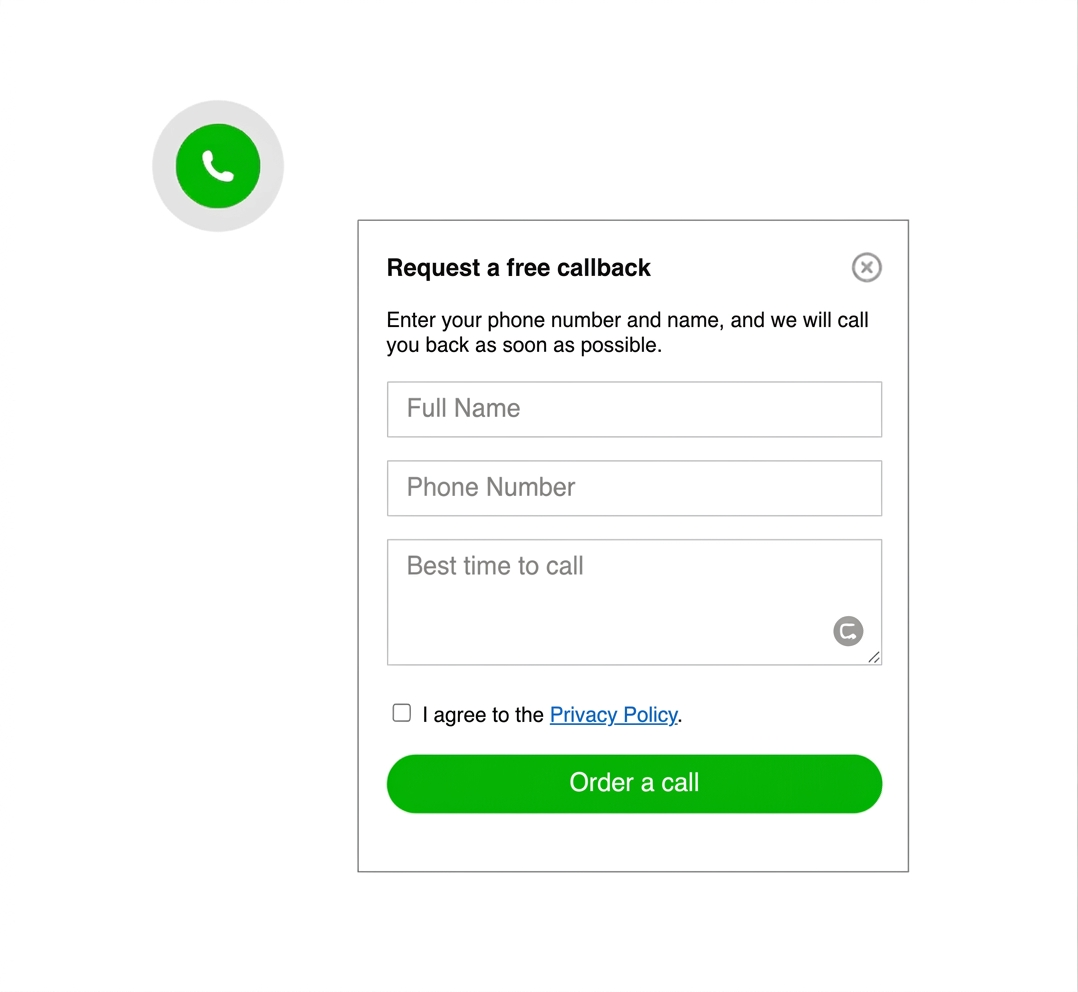
Add callback when a return call is useful for your sales process. If your callback requests are collected in email, keep the request form short so it feels faster than a traditional contact form.
Choose the button order on purpose
Put the most common chat option first, then the second messenger, then callback. On many sites, callback should not dominate the widget unless phone conversations are your main conversion path.
Install the script once on the site
Place the code in the global footer, theme settings, or site-wide custom code area. One install point is easier to maintain than repeating separate snippets across multiple pages.
Test mobile and desktop behavior
Open the widget on different screen sizes, verify that WhatsApp and Telegram launch correctly, and make sure the callback request stays readable without covering cookie notices, sticky CTAs, or checkout elements.
Platform-specific guidance
WordPress
Use a site-wide code field, theme settings, or a lightweight snippet method instead of stacking separate plugins for each contact channel.
Shopify
Place the widget in theme code or custom scripts so the contact layer stays consistent across product, collection, and landing pages.
Wix and Webflow
Use the custom code area, publish changes once, and confirm that the launcher does not collide with built-in site badges or consent tools.
Joomla
Insert the script in a reusable template area instead of page by page. That keeps the callback and messenger layout identical across the site.
HTML sites
Add the snippet before the closing </body> tag and keep the widget configuration separate from page content so updates stay simple.
Landing pages
Use callback on pages where visitors may want a quote, consultation, or appointment. If the page is purely self-service, messenger buttons may be enough.
Placement and UX best practices
The widget should feel like one contact menu, not three unrelated buttons fighting for attention. Most sites work best with one floating launcher that opens WhatsApp, Telegram, and callback in a short vertical list.
- Keep callback in the same menu: separate floating buttons often look heavy and compete with the main CTA.
- Use a short callback request: name and phone are often enough if the goal is a quick follow-up.
- Prioritize the most used channel: if WhatsApp drives most chats, keep it first and use callback as the second or third action.
- Check bottom spacing: mobile cookie bars and sticky footers can easily overlap the widget.
Where callback usually helps most
Callback is most useful when the next step is a sales conversation, appointment, estimate, or qualification call. It is less useful when every visitor can solve the task faster with a simple chat or checkout flow.
For a broader placement discussion, compare this approach with the floating widget placement guide.
Messenger-only widget vs callback plus messengers
Best for simple chat-first contact
Good when most leads already prefer WhatsApp or Telegram and the site does not need a sales callback path.
Messenger plus callback
Best when some visitors want chat and others would rather request a return call. This is the strongest fit for service-led pages and quote requests.
Phone link or full contact form
Useful when the visitor needs to send more detail, but slower for people who only want a quick contact option.
Common mistakes
- Adding too many options: WhatsApp, Telegram, callback, phone, email, and live chat in one launcher usually lowers clarity.
- Making callback the default everywhere: callback should support the contact flow, not bury the faster chat options your audience already prefers.
- Using separate tools for each button: three unrelated plugins or scripts create design inconsistency and more maintenance.
- Ignoring mobile behavior: a callback form that looks fine on desktop can become cramped or partially hidden on smaller screens.
Quick checklist before you publish
- One widget: WhatsApp, Telegram, and callback live in the same contact layer.
- Clear order: the most-used messenger appears first and callback acts as the fallback.
- Short callback form: only ask for the fields you actually need for a return call.
- Desktop and mobile tested: every button opens correctly and the widget stays visible without covering key UI.
- Page intent matched: callback is enabled only where a return call makes sense for the visitor journey.
Frequently asked questions
How do I add a callback button to a messenger widget?
Use one widget that supports WhatsApp, Telegram, and a callback form, then install the widget script once on your site and test the final button order on mobile and desktop.
Can I add a callback button next to WhatsApp and Telegram without coding?
Yes. On most platforms, you only need to paste one hosted script or widget snippet into the site-wide code area.
Should the callback button work on both mobile and desktop?
Yes. The widget should stay easy to tap on mobile and still look balanced on desktop, so both layouts should be checked before you publish.
Is one widget better than separate plugins or scripts?
Usually yes. One widget keeps the contact flow cleaner and easier to maintain than separate add-ons for WhatsApp, Telegram, and callback requests.
When should I show a callback button next to messaging apps?
Use it on pages where visitors may want a consultation, quote, or follow-up call instead of starting a chat immediately.
Does a callback button replace a contact form?
No. It works best as a fast fallback option, while a full contact form still helps when the visitor needs to send more detail.
Build one contact widget instead of stacking separate buttons
If you want WhatsApp, Telegram, and a callback request in one cleaner website contact flow, create the widget once and manage the options from one place.