HOW TO ADD A CHAT WIDGET TO YOUR WEBSITE

A practical no-code guide for website owners who want faster contact

To add a chat widget to your website without coding, create the widget, choose your channels and position, copy one script, and place it on your site once. Then test it on mobile and desktop so visitors can reach the right contact option without friction.

This page shows what a chat widget is, who it fits best, which setup path to choose, and how to launch it cleanly on common website platforms.
Preview of a floating website chat widget layout
Website chat widget preview with messaging channels

WHY ADD A CHAT WIDGET TO YOUR WEBSITE

because visitors are more likely to contact you when the path is visible, familiar, and easy to start

A chat widget reduces friction in your contact flow. Instead of forcing every visitor into a long form or a heavy live chat stack, you give them one clear, visible entry point for fast contact on mobile and desktop.
simple no-code setup
You do not need to rebuild your site to add a chat widget
Code snippet used to add a chat widget to a website
add one script once, then control the chat widget from your account

That is the cleanest way to add a chat widget without custom development. Your page structure stays intact while the contact layer is managed separately and can be updated without editing the whole page again.

Website chat widget options including multiple contact channels
STEP BY STEP

How to add a chat widget in six practical steps

Create the widget, choose the contact channels you actually need, set the position, and copy the generated script.

Then place that script on your website once, test the widget on desktop and mobile, and confirm the click path opens the right contact route without extra friction.
Fast setup icon for adding a chat widget to a website

Lower contact friction

People are more likely to message you when the contact option appears exactly where they need it and continues naturally on their phone or desktop.
Customization icon for a floating website chat widget

Cleaner page behavior

A good chat widget should stay visible without covering key content, cookie notices, sticky bars, or the main CTA.
Mobile-friendly icon for a website chat widget

Works across devices

Check the final position on both screen sizes because a widget that works on desktop can still clash with mobile UI, sticky bars, or consent banners.
Compatibility icon for chat widget setup on CMS platforms

Fits common site builders

If your site lets you insert a script or code snippet, this setup usually works on WordPress, Shopify, Wix, Webflow, Joomla, and custom HTML sites without a custom integration project.

Platform guidance for WordPress, Shopify, Wix, Webflow, Joomla, and HTML

The setup path changes a little depending on the platform, but the goal stays the same: get a visible chat widget live fast, without building a custom solution from scratch.

For WordPress, use a hosted widget script through theme settings, a header-footer code field, or a lightweight snippet plugin if needed.

For Shopify, add the widget through theme customization or the theme code area instead of installing a bloated app when a single script is enough.

For Wix and Webflow, the no-code route is usually a custom code embed or site-wide snippet area that keeps design changes separate from the widget settings.

For Joomla and HTML sites, place the script in the template or before the closing body tag, then test spacing and overlap after publishing.

Platform checklist
  • WordPress: keep the widget script separate from page-builder content
  • Shopify: use theme-level placement before adding another app
  • Wix and Webflow: publish to a preview and test the mobile viewport
  • Joomla and HTML: insert one script close to the closing body tag
  • All platforms: test the floating widget on a real phone

WHAT THIS PAGE COVERS

Adding the widget is only one part of getting it right

The real result depends on the contact flow, placement, visibility, and whether the visitor reaches the right destination with as little friction as possible.

If you want a channel-specific setup, see how to add a WhatsApp button to your website or how to add messenger buttons to a website. For more long-form guides, browse the YourChat blog.

Example of a floating chat widget on a website

PLACEMENT AND BEHAVIOR

Where the chat widget should live on the page
The bottom-right corner is usually the strongest default, but the real rule is simpler: keep the widget visible, do not hide key content, and make sure it behaves correctly on mobile.

1

PRIMARY CTA POSITION

1

SCRIPT TO INSTALL

5

MINUTES TO LAUNCH
Floating website chat widget layout with messaging options
Keep the click path short and obvious

three common ways to add a chat widget

WHICH OPTION FITS YOUR SITE BEST

Option 1

LINK

basic manual setup

Use a direct contact link if you only need a bare minimum shortcut and do not care about styling, visibility rules, or broader widget controls.
fastest to publish, weakest for presentation and control

Option 3

PLUGIN

depends on platform

CMS-specific
Use a plugin or app only when your platform strongly prefers it. This can work well, but maintenance and design quality vary a lot from one ecosystem to another.

Chat widget vs live chat widget

A live chat widget is useful when you need agents, routing, and a support workflow. A no-code chat widget is usually better when your real goal is simpler: give visitors one fast way to contact you through familiar channels without turning the page into a support desk.
For small business owners, freelancers, and agencies, the lighter option often wins. A hosted chat widget is easier to launch, easier to maintain, and usually closer to the setup intent behind searches like how to add chat widget to website without coding or chat widget for website.
If your audience also expects WhatsApp or Telegram, pair this page with the WhatsApp setup guide and the Telegram setup guide so visitors can choose the contact channel they already use.
extra lead capture layer

Add a fallback for visitors who do not want to start a chat

Not every visitor wants to open a messenger right away. A secondary contact form keeps the page useful for email-first leads and longer enquiries.
This is especially useful on service pages where users may want to explain their case in more detail before starting a chat or choosing a channel.

Website contact form shown as a fallback next to a chat widget setup
QUICK CHECKLIST

Before publishing, confirm the widget opens the correct contact route, stays readable on mobile, does not overlap sticky UI, and offers only the channels your audience will actually use.

  • One script installed in the right global location
  • Primary channel or channels connected correctly
  • Bottom spacing checked against cookie bars and sticky CTAs
  • Mobile and desktop click path tested end to end
  • Fallback contact option kept available for longer enquiries

Best pages to place the widget on

Homepage

Use it here when first-time visitors often need a quick question answered before they continue browsing or comparing options.

Service pages

High-intent pages are often the strongest place for a chat widget because the visitor is already considering action.

Contact page

If your contact page already collects leads, adding a chat widget gives people a faster alternative without replacing the existing path.

Frequently asked questions about no-code website chat widgets

How do I add a chat widget to my website without coding?

Create the widget in a hosted tool, choose the channels and position, copy the generated script, and paste it into your site once. After that, test the widget on desktop and mobile and confirm the click path opens the right contact option.

Do I need a plugin to add a chat widget?

Usually no. If your platform allows custom code, a script-based widget is usually the cleaner route. Use a plugin or app only when the platform strongly prefers it or your team wants that workflow.

Will a website chat widget work on mobile and desktop?

It should, but you still need to test both layouts. A widget can look fine on desktop and still clash with sticky bars, cookie notices, or the mobile viewport edge.

Which platforms can use a no-code chat widget?

Most sites can use one if they support a script, code embed, or footer snippet. That usually includes WordPress, Shopify, Wix, Webflow, Joomla, and custom HTML websites.

Is a chat widget better than a contact form or live chat?

It depends on the goal. A chat widget is usually better for fast pre-sales contact and familiar messaging. A contact form is better for longer enquiries, and a full live chat tool is better when you need agent routing or support workflows.

Can I start with one channel and add more later?

Yes. Many website owners start with one main channel, then add another only if visitors actually ask for it. That keeps the interface simpler and avoids offering too many equal choices too early.

Need more platform-specific ideas after this page? Continue in the blog guides, compare the WhatsApp button setup article, or read the floating chat widget placement guide.

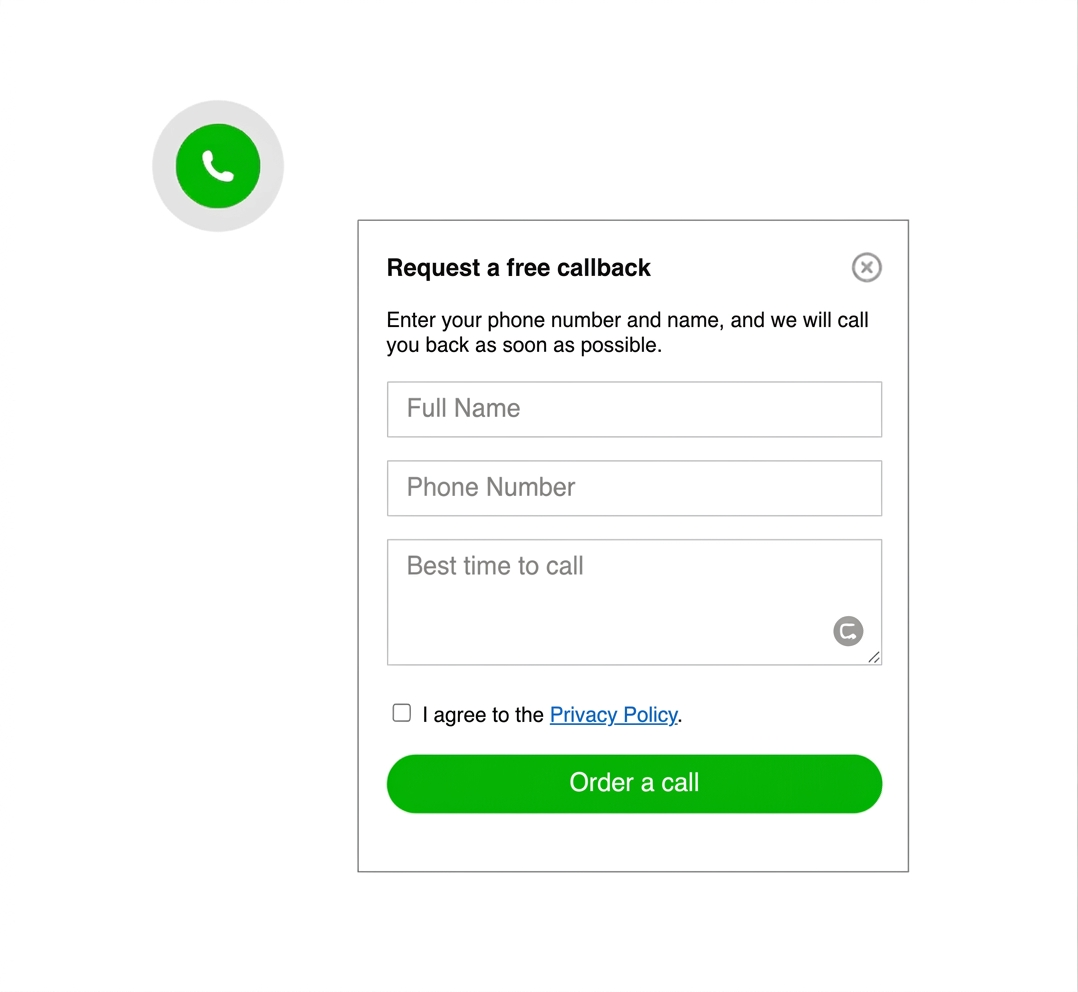
Callback widget example shown as an alternative contact option on a website
common mistakes to avoid

Do not let the widget fight the page

keep it visible, but never intrusive

avoid overlapping cookie bars, sticky buy buttons, important form fields, and too many equal channel choices

The most common mistake is not technical. It is poor prioritization. If the widget blocks content, jumps on mobile, or opens the wrong contact route, people lose trust and stop clicking.

this setup works with almost any website

If your platform lets you insert a script, custom HTML, or a footer snippet, you can usually add a chat widget without rebuilding the page. That includes custom sites, simple HTML landers, and common CMS platforms.