DO YOU NEED LIVE CHAT?

A practical decision guide for small business websites

You usually do not need live chat on a small business website. If your main goal is faster first contact, a lightweight widget, messenger button, or simple form-plus-widget setup is often easier to launch, easier to maintain, and more realistic for a small team.

This guide is for owners, local businesses, freelancers, agencies, and lean teams who want a clear answer before they add another tool. You will see when live chat helps, when it adds friction, and what to use instead.
Small business website deciding between live chat and a lighter contact widget
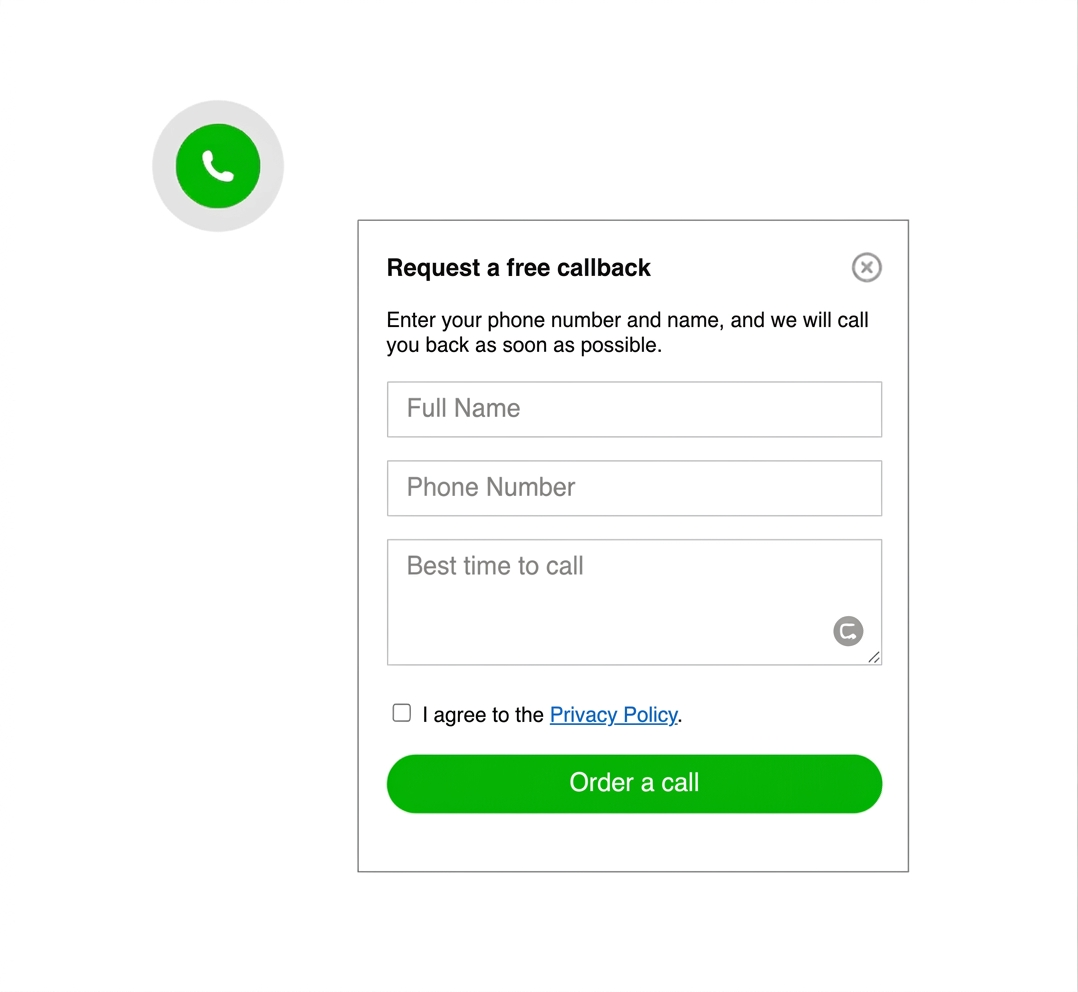
Contact widget example as a lighter alternative to live chat

WHY THIS DECISION MATTERS

because a small business can easily install live chat and still fail to answer on time

Live chat only helps when someone can actually monitor it. If chats sit unanswered, the widget becomes a promise the business cannot keep. For many small business websites, a simpler contact path creates less friction and sets a more honest expectation.

If you want to compare the lighter alternative in more detail, start with Best contact widget for a small business website.

NO-CODE OPTIONS
You can test a simpler contact path before committing to live chat
Script snippet for adding a contact widget instead of live chat
a lightweight widget is often enough for the first version

Most small business websites do not need a staffed chat desk on day one. A script-based widget or messenger button can open a direct contact channel without introducing a larger support workflow before the business is ready.

Website contact options inside a lightweight widget
STEP BY STEP

How to decide if live chat is the right fit

  1. List the real questions visitors ask before they buy, book, or contact you.
  2. Check whether someone can answer those questions during the hours your website gets traffic.
  3. Decide if visitors need instant back-and-forth or just one clear way to reach you fast.
  4. Test a lightweight widget or messenger button on your highest-intent pages first.
  5. Keep a fallback option such as a form, booking page, or phone number for longer requests.
  6. Upgrade to live chat only if the simple setup proves there is enough real-time demand.
Response speed icon for small business live chat decisions

Real response capacity

If nobody can watch the chat consistently, live chat becomes more risk than advantage.
Visitor intent icon for choosing live chat or contact widget

Visitor intent

Some visitors only need one quick answer, not a long chat session.
Mobile-first icon for website contact experience

Mobile-first behavior

On phones, a simple visible button often beats a heavier live chat box with typing expectations.
Maintenance icon for website contact tools

Maintenance load

Use the lightest tool that still matches your sales or support workflow.

Platform guidance before you add live chat

Your platform matters, but the main question is still operational: can your team support real-time chat after it goes live?

WordPress: start with a script or widget snippet before installing a larger live chat plugin stack.

Shopify and Wix: test a lighter contact widget first so you can judge clicks and mobile overlap before adding a more demanding chat tool.

Webflow and HTML sites: a direct script is often the fastest way to test whether visitors even need live chat behavior.

Joomla: keep the contact layer simple and verify it stays consistent across templates and landing pages.

Platform checklist
  • WordPress: test script placement before adding another plugin
  • Shopify: check for overlap with floating cart and sticky mobile UI
  • Wix: keep contact access visible without blocking booking elements
  • Webflow and HTML: review the live page on real devices after publish
  • Joomla: confirm the contact layer behaves across templates
  • All platforms: verify response expectations match what the business can maintain
Related guides

If you need a setup-focused follow-up, compare the floating chat widget guide and browse more examples in the YourChat blog.

WHEN LIVE CHAT ACTUALLY HELPS

Use it when your website truly needs real-time conversation

Live chat can be a strong fit when your visitors ask urgent pre-sales questions, when you have staff available during active hours, and when the business benefits from immediate back-and-forth instead of a delayed reply.

If your audience mainly needs one quick route into messaging, compare this with How to add messenger buttons to a website.

Phone screen with a simple contact widget instead of full live chat

PLACEMENT AND UX GUIDANCE

If you skip live chat, make the simpler contact path obvious
A small business site still needs a visible contact route. Bottom right is a strong default for a floating button or compact widget, as long as it stays clear of forms, consent banners, and sticky mobile elements.

1

PRIMARY CONTACT ACTION

3

HIGH-INTENT PAGES TO START WITH

5

MINUTES TO TEST ON MOBILE
Compact contact widget placement on a website page
Set a clear expectation instead of offering a chat promise you cannot keep

three common small business contact paths

WHICH ONE MATCHES YOUR REAL TEAM CAPACITY

Option 1

FORM

for detailed requests

Use a form when visitors need to explain a project, request a quote, or send more context before the business replies.
slower start, stronger for structured enquiries

Option 3

LIVE

for real-time support

higher commitment
Live chat makes sense when the business can answer quickly, handle active conversations, and benefit from real-time help instead of delayed follow-up.

live chat vs contact widget vs contact form

For most small business websites, a contact widget is the strongest middle ground. It is faster than a form, lighter than full live chat, and easier to maintain when the team is small.
Live chat becomes the better option only when the business can support real-time replies. A form remains useful for long or structured enquiries. The best answer is usually the one your team can actually operate well.
OBJECTION HANDLING

You do not need live chat just because bigger companies use it

Small business websites should not copy every enterprise contact pattern. If your real workflow is callbacks, WhatsApp, email, or a short form, forcing live chat may add pressure without improving lead quality.
A lighter widget can still feel responsive while giving the business more control over when and how replies happen.

Alternative website contact routes used instead of full live chat
Website contact options illustrating common live chat mistakes
COMMON MISTAKES TO AVOID

Do not add live chat before the business is ready

keep the contact promise realistic

  • Do not install live chat if nobody can monitor it during active hours.
  • Do not hide simpler contact options behind a chat-only flow.
  • Do not let the widget cover forms, sticky CTA bars, or consent banners.
  • Do not confuse visitors with too many channels inside one small launcher.
QUICK CHECKLIST

Before you add live chat or reject it, confirm which setup your team can truly support.

  • One clear primary contact action
  • Response expectations the business can actually meet
  • Mobile placement checked on a real phone
  • Simple fallback path for detailed requests
  • Tool complexity matched to real staffing

Frequently asked questions about live chat for small business websites

Do you need live chat on a small business website?

Usually not. Most small business websites get better results from a simpler contact widget, messenger button, or form-plus-widget setup unless someone can actively reply in real time.

Can I add a simpler chat or contact widget without coding?

Yes. On most platforms, a hosted widget or script-based setup can be added with one snippet in the site header, footer, or custom code area.

Should the contact option behave differently on mobile and desktop?

The contact path should stay consistent, but the placement must be tested on both screen sizes so the button stays visible without covering key content or sticky bars.

Should I use a plugin, a script, or full live chat software?

Use the lightest setup that matches your workflow. A script or hosted widget is often enough for small business websites, while full live chat software makes sense only when you truly need staffed real-time conversations.

Is live chat better than a contact widget or contact form?

Live chat is not automatically better. It is stronger for immediate back-and-forth support, while a contact widget is often better for quick first contact and a form is better for detailed requests.

When does live chat make sense for a small business?

Live chat makes sense when visitors ask time-sensitive questions during business hours, when someone can answer consistently, and when missed chats will actually be handled instead of ignored.

Need more implementation examples after this page? Browse the English blog guides, compare the small business contact widget guide, or review the floating chat widget guide.

a simpler contact route is often the better first step

If your platform allows a code snippet, custom HTML block, or footer injection, you can usually test a lighter contact widget before committing to full live chat. That keeps the setup practical for small teams and makes the decision evidence-based instead of theoretical.